Animated drop shadows on Android in React Native
A small trick for shadows that animate smoothly on Android, where elevation alone falls short.

There are bugs and issues in each framework, and React Native is not different. If you have ever developed an app on React Native, you would know that the box-shadow effects on android are a very well-known issue.
Today, I will clarify how to solve this problem as precisely and easily as possible, in order to create better UI/UXs apps on both platforms, using the same code!
💡 First of all: props and principles
Shadow props are recommended by React Native documentation.
- shadowColor: Sets the drop shadow color.
- shadowOffset: Sets the drop shadow offset.
- shadowOpacity: Sets the drop shadow opacity.
- shadowRadius: Sets the drop shadow blur radius.
React Native provides shadows on both platforms iOS and Android. Only the iOS system includes various properties such as shadowOffset, shadowOpacity and shadowRadius. In the Android system, React Native uses the Elevation API . The general reason for this is interaction design patterns differences in both systems, Apple uses Human Interface Design while Google uses Material Design.
🚀 So, how can we use the shadow props in Android?
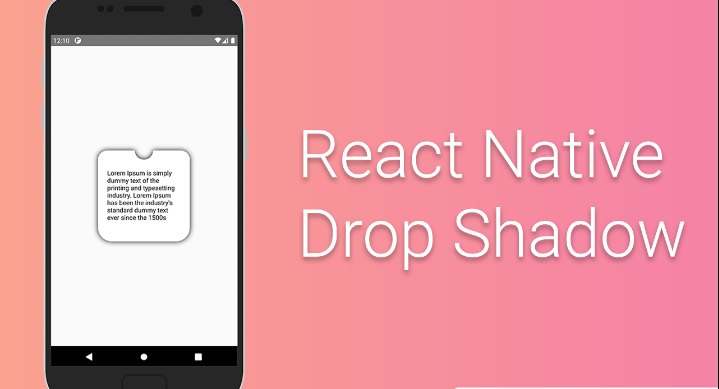
I spent some time researching the best way to solve this problem. Then, I found this package provides shadow effects, created specifically for the Android system (also working in iOS, don't worry!), which creates a bitmap representation, blurs, and colors them to styles shadow values, much the same as iOS.
Hence, you don't need to spend time trying to set the elevation to get the same UI in iOS. Let's start!
Installation: yarn add react-native-drop-shadow
Usage:
import { FlatList } from "react-native";
import DropShadow from "react-native-drop-shadow";

export default function MyComponent() {
  return (
    <DropShadow
      style={{
        shadowColor: "#000",
        shadowOffset: {
          width: 0,
          height: 0,
        },
        shadowOpacity: 1,
        shadowRadius: 5,
      }}
    >
      ...
    </DropShadow>
  );
}

export function MyFlatListComponent() {
  return (
    <FlatList
      data={["1", "2", "3"]}
      keyExtractor={(item, index) => "List-" + index}
      CellRendererComponent={DropShadow}
      renderItem={({ item, index }) => (
        <DropShadow
          style={{
            shadowColor: "#000",
            shadowOffset: {
              width: 0,
              height: 0,
            },
            shadowOpacity: 1,
            shadowRadius: 5,
          }}
        >
          ...
        </DropShadow>
      )}
    />
  );
}⚡ Bonus! It supports Animated Drop Shadow
import DropShadow from "react-native-drop-shadow";
import { Animated } from "react-native";

const AnimatedDropShadow = Animated.createAnimatedComponent(DropShadow);

export default function myComponentwithAnimatedViews() {
  return (
    <AnimatedDropShadow
      style={{
        shadowColor: "#000",
        shadowOffset: {
          width: 0,
          height: 0,
        },
        shadowOpacity: 1,
        shadowRadius: 5,
      }}
    >
      ...
    </AnimatedDropShadow>
  );
}Full Example
May not work properly with the expo. Please test it out on your phone using the react-native-cli.
Conclusion
Please keep in mind that using Bitmap Rendering to model shadows can be performance-heavy if multiple shadows and animations are rendered at the same time.
Thank you for taking the time to read this post. I've clarified how to use the drop shadow effects with and without animation. If you've found this useful, please like, share it, and leave a comment. Hope to see you in the next posts! 👋🏼
How a photo, ten SVG plates and a WebGL mountain range on my homepage are engraved line by line at runtime.
Read it